
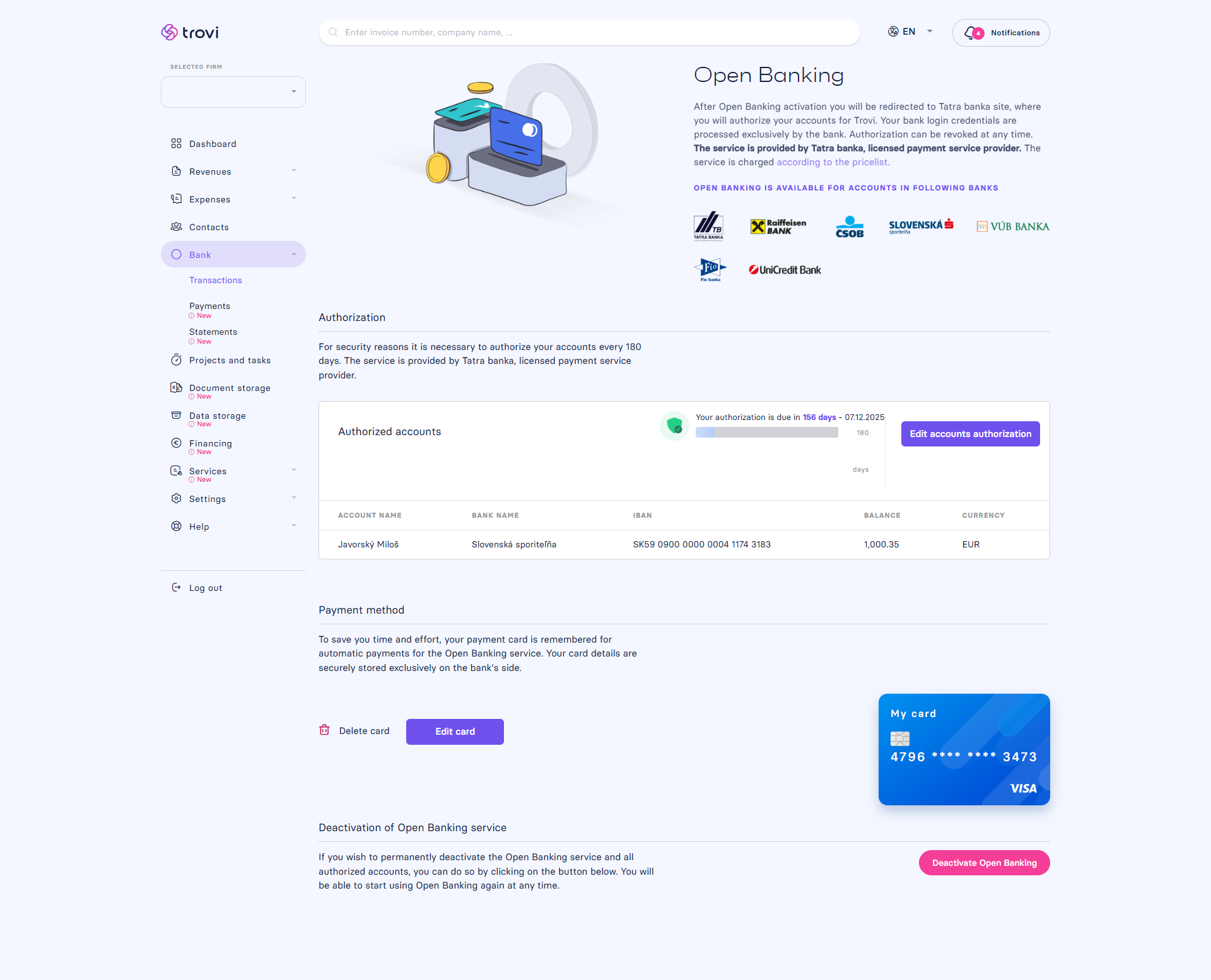
You can add or deauthorize accounts at any time:
- In the Open Banking settings, click Open Banking settings
- Then select Edit account authorization – you’ll be redirected to your bank
- Choose only the accounts you wish to keep – selected accounts will be reauthorized for another 180 days
- To fully disable the service, click Deactivate Open Banking – the service will be turned off immediately
❗ A fee is charged for each account active during the month, regardless of how many days it was active.
💡 For that reason, we recommend deactivation at the end of the month.
📝 This article was translated with AI. If you notice any inconsistency, feel free to let us know.