
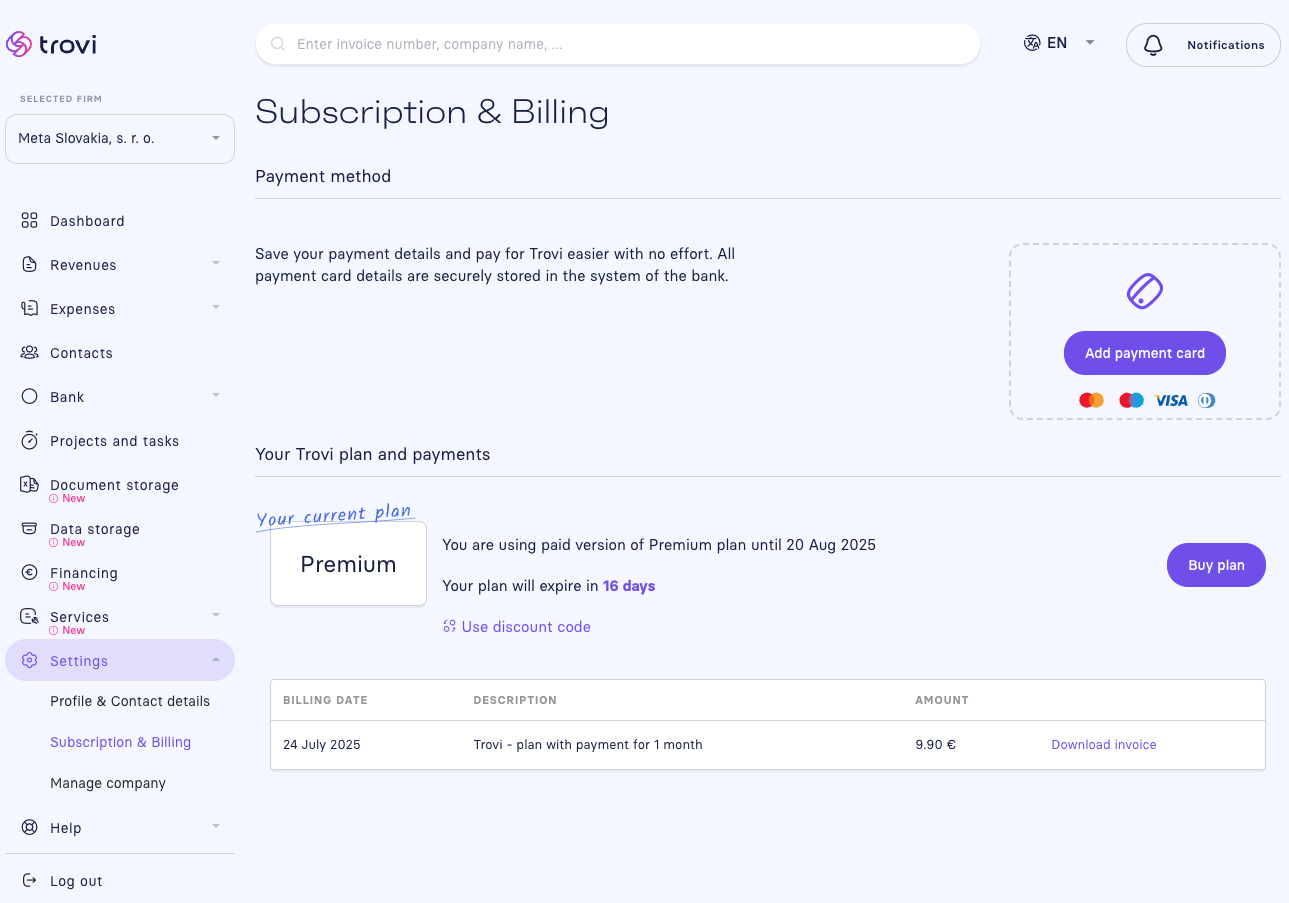
👉 You can find the invoice for your subscription directly in the Fakturácia app under:
Settings → Subscription & Billing
In this section, you'll see your current plan (e.g., Premium).
In the billing overview, click Download invoice next to the corresponding payment.
The invoice is available immediately after payment and can be downloaded in PDF format.
🧾 The invoice includes all legal details and can be used for accounting purposes.
✍️ Quick tip:
If you've filled in your billing information under Profile & Contact details, it will automatically appear on your issued invoice.
📝 This article was translated with AI. If you notice any inconsistency, feel free to let us know.